The Ultimate Guide to Dollywood Mobile Food Ordering
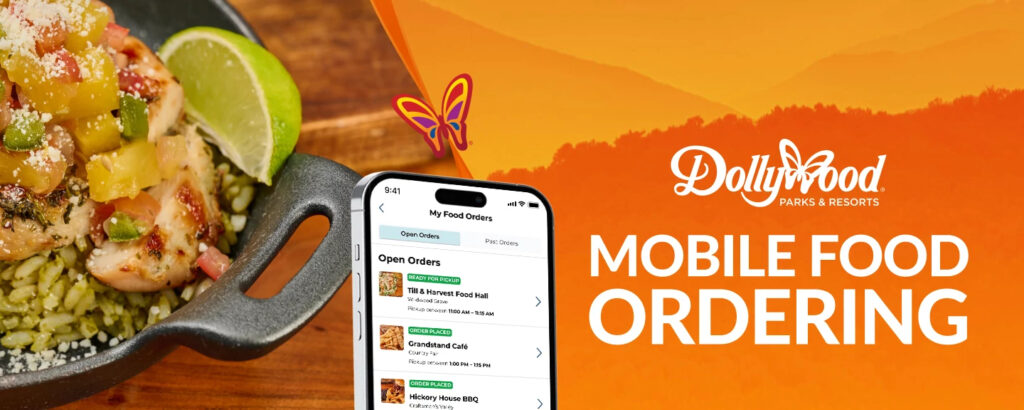
Dollywood mobile food ordering is the ultimate “life hack” for your next park visit! By using the official Dollywood app, you can skip the long queues and get your hands on those famous Smoky Mountain flavors in record time.
Here is everything you need to know to master mobile food ordering at Dollywood.
Why Use Dollywood Mobile Food Ordering?
Theme park hunger is real, but the lines don’t have to be. Mobile ordering allows you to browse menus, customize your meal, and pay directly from your phone while you’re still standing in line for your favorite coaster.
Pro Tip: Season Passholders automatically receive their discounts when logged into the app! It’s great, because there is no more fumbling for your physical card at the register!
Dollywood Mobile Food Ordering in 5 Easy Steps
Dollywood has streamlined the process into five simple steps to get you from “hungry” to “happy” faster.
- Choose Your Location & Time
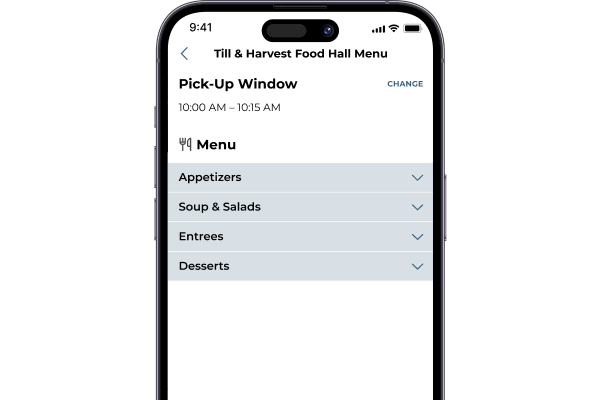
Open the Official Dollywood App (available on iOS and Android) and select a dining location. You will then choose a convenient 15-minute pickup window.
- Order & Prepay
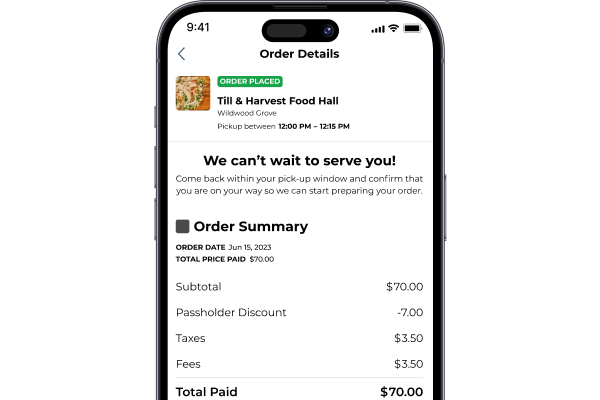
Add your favorites to the cart and pay using a credit or debit card. You can even save your payment info for even faster checkouts later in the day.
- Tap “I’m On My Way”
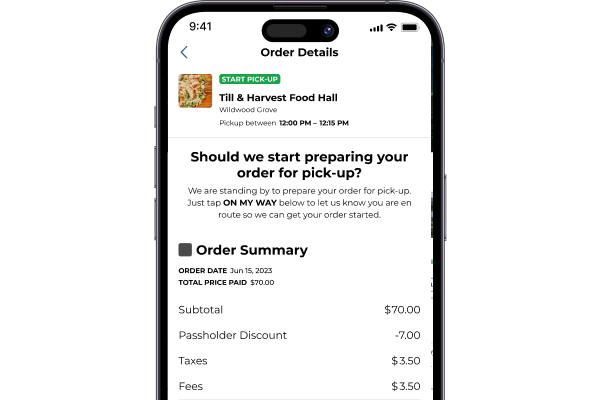
As your pickup window approaches, you’ll receive a push notification. Open the app and let the kitchen know you are headed their way. This ensures your food is prepared fresh and hot right when you arrive.
- Head to the Pickup Area
Look for the designated “Mobile Food Ordering” signs at your chosen restaurant. Skip the main line and head straight to the host.
- Grab & Go
Tell the host the name on your order, grab your meal, and enjoy!
Where Can You Take Advantage of Dollywood Mobile Food Ordering?
Whether you’re craving a classic burger or a quick snack, several of the park’s most popular spots now offer mobile ordering.
Look for these locations in the app:
- Country Cookers – Kettle Korn: Watch as they pop your sweet and salty popcorn on the spot.
- Dogs N Taters: A Rivertown Junction favorite that’s home to two Dollywood favorites.
- Grandstand Cafe: The perfect snack pit stop in Country Fair.
- Hickory House BBQ: Award-winning BBQ in Craftsman’s Valley.
- Iron Horse Pizza: Flatbread pizzas, salads, snacks, and more in The Village.
- Lumber Jack’s Pizza: Quick and delicious slices for the whole family.
- Potato Tornado: Potatoes with a twist in Rivertown Junction.
- Red’s Drive-In: Classic 50s-style burgers and shakes.
- Splinter’s Funnel Cakes: Your one-stop shop for some of Dollywood’s most popular sweet treats.
- The Dog House: A new take on the beloved theme park hot dog.
- Till & Harvest Food Hall: A variety of dishes and cuisines with vegetarian, vegan and gluten free options.
- Wilderness Pass Restaurant: Rotisserie, smoked, and wood-fired meats in Wilderness Pass.
Expert Tips for a Seamless Experience
- Order Early: Popular windows (like 12:00 PM – 12:15 PM) fill up fast. Place your order while you’re in the mid-morning ride lines to secure your preferred time.
- Stay Close: Only tap the “I’m On My Way” button when you are within a 5-minute walk of the restaurant to ensure your food doesn’t sit under a warmer.
- Battery Check: Ensure your phone is charged! Since the app is essential for ordering and receiving notifications, consider bringing a portable power bank.
Ready to Eat?
Using Dollywood Mobile Food Ordering is the smartest way to maximize your park day. Download the app today, skip the wait, and get back to the fun!